Blog

Making the Change

As my Grade 3 LTO came to an end on a Friday, and my new Kindergarten LTO started the following Monday, I needed to change from Grade 3 mode, to Kindergarten mode in just a weekend’s time. As I have taught Kindergarten before, I knew what to expect. However, I knew it would take some time for myself to become familiar with the new classroom routines, the new students as well as the Kindergarten program that the teacher had already implemented. Because I will only be working this LTO for 3 months, I felt it was really important to make the transition as smooth as possible and to continue with the type of program the teacher had already implemented. I felt this was extremely important to keep some sense of normal for the students, as the adjustment to a new teacher would be more than enough for them.


The Week Before:

  • I felt extremely lucky that my principal gave me some extra coverage time the week before I started my new Kindergarten position to go into the classroom for 2 half days to meet the students, meet some of the parents and see the program in action. I felt this was so beneficial not only for me, but for the students as well
  • Students got a chance to meet me, and they knew a head of time that I would be their new teacher, so that hopefully eased  the anxiety and helped the transition from one teacher to another
  • I was able to see exactly how a day in this Kindergarten classroom was run

The Week I Started:

  • The week I started teaching Kindergarten, the students were very excited since they had already met me. I came to school with students bringing me pictures they created as well, showing/telling me how excited they were I was their new teacher
  • I hardly changed anything in their room or the program, and just continued teaching what the current teacher had been doing
  • I started giving some diagnostics to the students so I could really see where each of my students were at
  • As I have a lot of ESL and ELL students in my class, I also downloaded a translation app on my iPhone, which helped me interact and speak with my Spanish speaking students
  • We also reviewed our classroom rules and created some carpet rules, to make sure students knew what was expected of them and to show them that I knew/was familiar with the rules they already had in place in the classroom
  • I wrote an introductory letter home to parents, so they know who I am, what my teaching experiences are, and how they can communicate with me (which I got a lot of positive feedback from).


Overall, I feel the transition was quite seamless, and I think the main reasons are because:
1) My principal gave me time to go into the classroom before I officially started my new position, in which I was able to get to know and start the bonding process with my new students

and

2)  I kept the program the same, so the students did not have to adjust to too many things at once. With young students, especially Kindergarten students, I feel it is important not to change everything because it will confuse them and may take away their sense of community/ownership that has already been created in the classroom.

Photo of Roz Geridis

Connecting with Students as a Prep Teacher

It has been an interesting start to the school year. I have a change in my teaching assignment and for the first time I have ½ day of prep coverage. Getting to know all the names and developing relationships with over 100 students I see 80 minutes a week has been a challenge. Especially since most of my teaching position has me in the gym (no desks and regular seating plans).

To help me get to know the student names – I have the students change into gym clothes. At the beginning of the year, I had the students sit on the floor or bench in the gym and went through the class list calling out the student names and putting a face to the names. As the year has progressed, I have moved to having the students come up to me and showing me their clothes. I have them share their last name which still gave me time to get to know their names. To move things even faster, the students who have brought in their gym clothes regularly go a change right away and say hi to me as they come into the gym.

The student teacher relationship has taken some time to develop. I try to find a way to connect with each student. Some students, I ask about their extra-curricular activities (sports, dance, etc). Once I know what the student participates in, I try to ask the student about their extra-curricular once a month. For my ELL or students who do not have extra-curricular, I ask about their weekend or break plans. Sometimes, the kids go to the movies and I ask about the movie s/he saw.

Developing the relationships have really helped with the classroom management during the prep periods. The students have appreciated my effort to get to know them a little better and are making a larger effort to listen and to do their best during class time. It is great to have the kids walk up to you in the halls asking when we have your class again. I know some of that is because it is gym but also I have some classroom prep which kids are also inquiring about. Making the connection with students is something that helps to make a difference in student education.


Photo of Erin G

A Response to “Talking and Listening Chairs” – Les tête-à-tête sont une nécessité

Having read Sangeeta’s blog about how ongoing conflicts can sometimes hijack your teaching agenda, I was struck with her concept of the “Talking and Listening Chairs”. From my own experience, I know that students seem to run into MANY misunderstandings and oftentimes lack both the forum and the verbal skills necessary to successfully solve their conflicts. Quite frankly, I think her idea is brilliant and the guidelines surrounding their use are thoughtfully considered. She has clearly established boundaries and parameters that would ensure success. With obviously less disruptions for the teacher, the real beneficiaries are the students themselves. Actually having a chance to air their grievances can help diffuse and prevent an emotional conflict from escalating into something more serious and simultaneously allows students to take ownership for solving their own problems. Finally, the end result would be to forge a stronger, deeper rapport between the children and a positive classroom atmosphere. Wow, all that from two chairs! Personally, I’m going to have to think a little more how I could implement this idea as a rotary teacher with older students and a cart (no permanent classroom)…

Photo of Tina Ginglo

Writing Workshop and Technology

I am pleased with how our third grade writing-program is evolving this year.  Students are at the point in the term where they are working independently.  They know when they need to meet with their writing partner.  They know when they need their laptops.  They are learning how to publish their personal narratives using Microsoft Word, and use tools such as grammar and spelling to edit their work.

Our writing workshop is a simple process.  First, all writing begins in the Writer’s Notebook.  As I mentioned in an earlier post, I began the year introducing students to the narrative genre with  “small moments.”  Small moments are short pieces of writing that use action, dialogue and thought/feeling sentences.  I provided writers with a number of strategies for generating ideas for writing, providing time for writers to practice each strategy. After several weeks of practice, I then introduced longer personal narrative writing.  Students have a strong understanding of the success criteria for personal narrative writing.

Success Criteria:

You have written an effective personal narrative when:

  • your story has a beginning, middle and end;
  • the main character tells the story using the personal pronoun “I”;
  • you have included action, dialogue and thought/feeling sentences;
  • your story is a “seed” story, not a “watermelon” story;
  • you have correct spelling and punctuation.

Those familiar with the Lucy Calkin’s Units of Study resource will recognize the idea of small moments, seed stories and action, dialogue and thought sentences.

When writers feel they have finished a piece of writing, the next stage in our writer’s workshop is for writers to meet with their assigned writing partner.  I decided to match writers who are writing at the same stage of development rather than pairing stronger writers with more dependent writers. This way each partner will benefit from the feedback they receive.  Writing partners refer to our success criteria when giving feedback to their writing partner.  I expect writing partners to provide two “glow” comments and one “grow” comment to their partner when they meet.

Following their meeting with their writing partner, the writer begins their first revision.  Most students choose to type their narratives on Microsoft Word.  As they begin to publish their narratives, they make revisions to their first draft, keeping in mind the feedback they just received.

In addition to meeting with their writing partner, I call writers for writing conferences each day.  I usually wait until writers have completed their first revision on their laptops.   I decide on a teaching focus, for example, using correct punctuation when using quotation marks, for our conference.  A writer will walk away from our conference with a skill to practice as they continue to revise a piece of writing or when they begin a new piece of writing in their Writer’s Notebook.

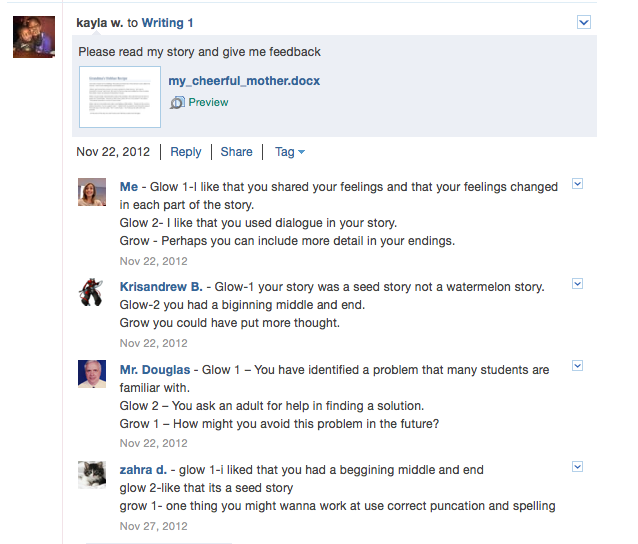
For many, the most exciting step in writing workshop comes next.  After writers have revised their personal narratives, they log in to Edmodo.com and post their narrative in their assigned writing group.  I have created five separate writing groups on Edmodo.com.  There are four to five students in each writing group.  These groups are more heterogeneous.  When writers post their narratives in the writing groups on Edmodo.com, they ask members of their writing group as well as their teachers for descriptive feedback. It is the responsibility of each writer to read their colleagues’ personal narratives and provide them with descriptive feedback in the form of glow and grow comments.  Students’ writing partners are not assigned to the same writing group.  Therefore, each writer in our class receives descriptive feedback from five to six of their peers as well as their teachers!

We are now at the stage where writers are reading their feedback on line and returning to their posted piece for a second or third revision. They then repost their narrative to share with their group members.   Ideally, I would like my third graders to learn how to leave a piece of writing.  They can start a new piece in their Writer’s Notebook and perhaps return to earlier published pieces later in the year.

Edmodo screen capture

Integrating Edmodo.com into our writing program revealed additional benefits I didn’t anticipate.  Edmodo is basically acting as our class’ private server.  Students can access their stories from any computer at school or at home.  This eliminates the need for flash drives.  If students want to work on a piece of writing at home, they simply log into Edmodo.com.  I also have easy access to student writing. I can provide feedback to students at my convenience without having to carry writing folders.  Parents can also see what their child is writing at school.  When parents log in using their assigned parent access code, they only have access to their child’s posts.

Writing Workshop Flowchart
I promise that not all my posts will be about Edmodo.com, but it is really exciting to see students engaged in the writing process.  It is amazing how this technology enriches our writing workshop.  However, our writing program is not dependent on technology. If the technology were to disappear, our writing workshop would continue, just less efficiently.
Photo of Alison Board

Making Adjustments

As I read the previous additions by fellow bloggers, I look for connections to my own classroom, and what I see is the constant of change. We are all working with different age groups, but consider similar topics, such as adjustments to integrate technology, outdoor education, or making learning meaningful. Like others, I am continuously reflecting on my practice and making adjustments. As I am teaching in a new Full-Day Kindergarten classroom, there are many changes that the ECE and I have made in the last 8 weeks.

In September, our days were focused on establishing routines and building a community with our 27 children. The biggest routines were entry and dismissals, learning centres, and independent reading/quiet time. Then, as the children settled into these routines, we constantly re-assessed our schedule. We found that our children are so social, that independent reading is more like a book club with sharing and discussions. So, we now lead meditation and quiet breathing and stretching exercises after our reading block. Some of the children struggle with stilling their minds, while others have embraced it and look forward to this part of our day.

Adjustments to the classroom are also a constant in FDK. As interests in certain areas increase or wain, I change the spaces to accommodate the children’s interests and needs. I also change the materials. The basics in each learning centre remain the same, such as the blocks in the building centre, however, I may add recycled materials, clipboards and paper, or figures to encourage new relationships with the materials.

The planning has become one of the most challenging aspects of the FDK program, as there is no time for the ECE and I to sit down and exchange ideas. I continue to plan weekly with my Kindergarten teacher partners, then I convey ideas to my ECE while we are in the classroom together. I started off the year with my weekly plans in a binder on my desk (as I always previously used them). Then, I realized that it was more beneficial to enlarge them on an 11 x 17 inch page and hang them in the centre of the room where the ECE, and the Special Education Assistant can access the daily plans with ease. We are also using a web diagram to document the big ideas that are emerging in the classroom and the connections to the curriculum, which is visible to all.

Every day at our gathering circle, I start by asking the children, “How do you feel today?” As the children share their responses, I get a better understanding of what adjustments I can make to ensure it is a successful day for all of us. Making adjustments is just another way of being a reflective and responsive teacher.

Student Led Conferences

The past 2 weeks, I have been preparing my students for Student-Led Conferences, since the Progress Reports were sent home, and conferences were set for this past Friday.

I have never done or seen Student-Led Conferences before, and what an amazing experience it was. Yes, it does take a lot of prepareation for the students, but after a lot of feedback, the parents really enjoyed it.

What Are Student-Led Conferences?
Instead of the formal Parent-Teacher Interviews, my school board has taken the approach to doing Student-Led Conferences, which enables the student to take full responsibility for their learning, and they choose things to share with their parents that they are most proud of and some things they feel they need to work on. They also choose a Learning Skill that they think is the best, as well as a Learning Skill that they need to improve upon.

Preparing My Students for the Conferences:
Two weeks prior to the Student-Led Conferences, we began preparing ourselves for these conferences. It does take a lot of time and preparation, but the outcome is wonderful! First, I laid out all the work my students have done so far. I explained to students that they would look through their work and choose 2 things they were most proud of (could include anything but most were Social Studies Tests, Math Tests, Journal Entries, and Daily 5 Work), and 1 thing they felt they needed to improve upon. Once they chose their 3 items, they were given 2 “star” papers where they wrote why they were most proud of this pieve of work and why (they had to be specific-because they looked at the Word Wall to help them spell, they studied really hard for a test, or they used the Success Criteria to help them in their writing…). Then, students were given one “Next Steps” paper where they wrote about why they feel they needed to improve upon that piece of work, and what they can do next time (use the Editing Checklist, use the Work Wall, etc.).

As a class, we then reviewed the Learning Skills and what each skill means. We brainstormed (and reviewed) some examples about what each Learning Skill looks like here at school. Then students chose which Learning Skill they felt was their best, and explained why using examples, as well as choosing a Learning Skill that they needed to work on, and explained what they can do to improve upon this Learning Skill.

Once all the writing was complete, I created a script that students practiced so they knew exactly what to say, and when to show/explain their work. For many days, students would practice reading this script and showing their work independently, to a partner, in a group, and even their Reading Buddies. We encouraged students to take on different roles as well, to prepare them (i.e. one student would be a mom, one would be a dad, and the other would present to them).

When it came time for the Student-Led Conferences, the students ran the show. They took full responsibility, and THEY were the ones explaining to parents why they need to improve upon the work they chose, and even asked how their parents could support them at home. I feel that the student saying this to their parents is much more powerful than if I were the one saying it. Parents really enjoyed seeing their child’s work, and were excited to come up with ways that they could support their child at home. Overall, the Student-Led Conferences were a huge success at my school, and it was really great for the students to be so enthusiastic about the work and learning they have done thus far!

Student-Led Conference Script:

Introductions: “Hello, Ms. Pryde. This is my _______ and my _________.”

Explanation about the Conference: “I am taking responsibility for my learning. Today, I will be showing you the accomplishments I have done so far at school. I will also be showing some work that I feel I need to improve upon, and will be asking for your input about how you can help me in reaching my goals at home.”

Showing of the Work: “This is one of my best pieces of work because __________________.

I also chose this piece of work as something that I am most proud of because __________________.

I feel that I could improve upon this piece of work because _____________. I think I can improve on it by __________________________________.

I think my best Learning Skill is ________________________ because _______________________________________________.

The Learning Skill that I think I can improve on is _______________ because _______________________________________________.”

Conclusion: “Thank you for coming to my conference. Is there any questions or comments for myself or Ms. Pryde?”


A photo of the outdoor

Outdoor Education

Outdoor education is something I have been trying out this year in my Grade 3 classroom. I have tried giving my  students opportunities to use the outside world to explore and learn from it. As our first social studies unit was  First Nations people, we decided to go for a class walk to a nearby forest/pond area near our school. We took  some time to explore and look around at the environment we saw around us. After some exploration, we came  together and had a community circle to discuss things we have seen. We pretended to be First Nations people,  and discussed things we would use in our environment to survive (trees for building our homes, ducks for food,  water for drinking water, etc). It was a great experience, and students were able to make social studies  connections to the environment around them.

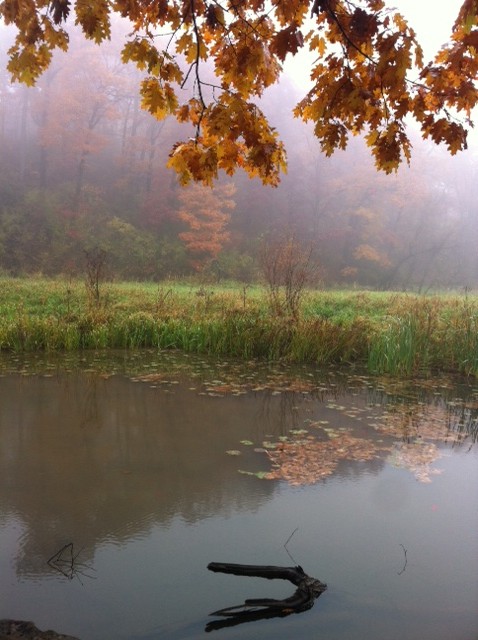
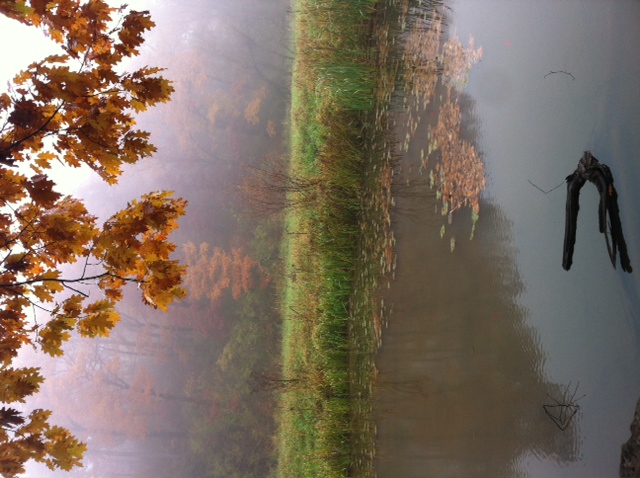
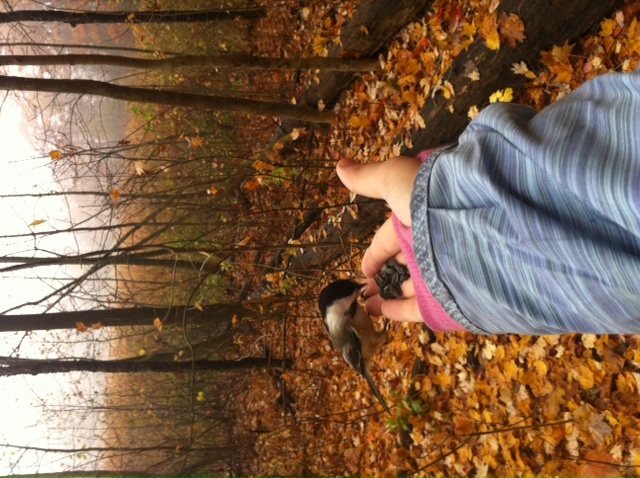
Although I have been trying out some of the outdoor education ideas, I felt I needed more. So, I signed up for an  Outdoor Education Workshop. It was called Outdoor Education: Look and Learn, which was provided to me  through my school board, Halton District School Board and Royal Botanical Gardens in Hamilton, Ontario. The  day started off with us playing some outdoor games, which came from the Project Wild resource book. Then, we  went on a hike where we were able to use our 5 senses and explore the environment. We all used our cellphones,  or were given cameras to take pictures of things that interested us. It was a rainy/foggy day, so we were able to  take some beautiful pictures. After some exploration, we were given some birds seed and these chickadees flew right down to us and ate the seeds from our hands. As adults, we were so excited about this, so I could only imagine how our younger students would have enjoyed this.

We were all assigned to choose a few leaves that stood out to us and share what types of activities we could do with them. The leaves were so beautiful with bright orange and red colours. Some ideas were to sort them leaves based on different properties, use the leaves for art (making leaf turkeys for Thanksgiving, or leaf rubbings) and using the leaves for math by looking at symmetry.

It was a wonderful workshop, I learned many things and felt more confident about doing outdoor education with my students. We also were given some wonderful resources. If you are interested in reading more on Outdoor Education, please check out:

Into Nature: A Guide to Teaching in Nearby Nature
http://www.back2nature.ca/resources-research/education

Happy Exploring!!!

Art work hung to the peace tree

The Peace Tree

Recently, for Remembrance Day, I contemplated how to help my students understand the meaning of this solemn occasion.

My class is made up of students from India, Pakistan, Somalia, Czech Republic, Afghanistan and Slovakia to name a few. Through several discussions, I learned that their understanding of war from their homelands seemed different than what our Canadian soldiers went through, yet the common thread was the idea of peace.

Having seen the film, “The Peace Tree” by Mitra Sen, I thought this might be a good place to start. The film is about a young girl whose family is celebrating Eid. She shares her holidayand customs with her best friend and when Christmas draws nearer, she questions why her family can’t celebrate both occasions. This leads her to make a peace tree with symbols from different religions and cultures. After watching this film with my class, I could see them making connections to their own experiences with religion, exclusion and identity.

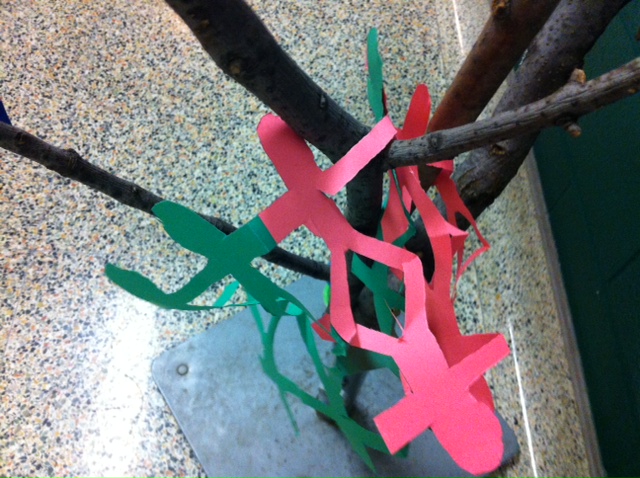
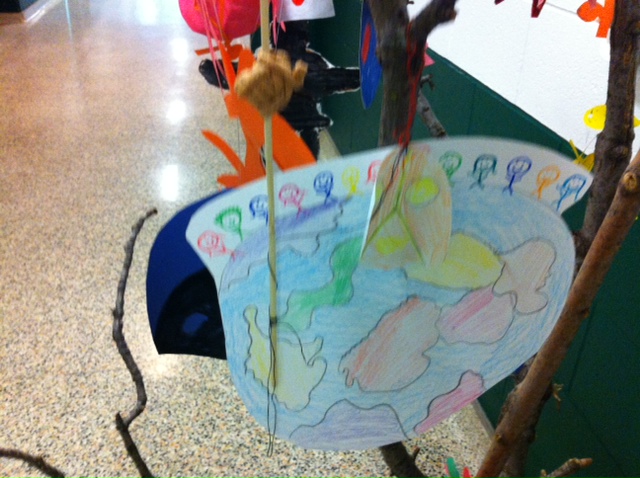
We became excited at the thought of making our own Peace Tree and I began the search for the right branches to hold our ideas. Together, we spent some time studying different signs of peace from around the world, such as the diya (India), the Inukshuk (North America), the Yin Yang (China), the Star of David (Israel) and more. My students took materials home in earnest to start making these signs and often came up with their own symbols: flags from different countries, chains of people, and hands.

At our school assembly, while each class was invited to bring a wreath, my class chose to bring their Peace Tree which had also been decorated with poppies. Two of my students spoke at the assembly about why we had created this tree and what it stood for. It has been an interesting experience for me to watch my students get so excited about the different symbols and how the meaning of peace is the same no matter where you live in the world.

We were asked to put our Peace Tree outside the school office for others to enjoy and my students often ask when we are getting it back…they want to add more to it!


Photo of Tina Ginglo

Equity and Access to Technology

I am committed to equity and inclusive practice.  Each day I “check in” with myself and ask those important questions:  Do all my students feel included in the classroom?  Have I excluded any students from the learning I have planned today?  With technology these questions are particularly important to consider.  In particular, I want to address the concerns around students’ access to computers.   As I mentioned in my last blog post, my students and I are fortunate to have unlimited access to technology, specifically, laptops, wireless Internet and digital cameras.  Access to these tools presents us with endless opportunities to make learning meaningful and engaging for students.  The students are so excited about learning.  They want to take their flash drives home to work on writing projects and they log in from home to contribute to their Edmodo groups.  However, there are some students who don’t have computers at home.  What about these kids?  These students can quickly feel left out if they are not part of the “virtual” in-group, so how can I make the most of the technology I have and not marginalize any of my students?

I have been working closely with one of my mentors since October.   He has helped me create a vision for my class use of computers.  I want to get my students to the point where they decide when they need the computers and when they do not.  At the beginning, I had all the control.  I directed students when to take out the laptops and when to put them away.  In the first few weeks, you could walk into our classroom and see all the students working on their laptops at the same time, doing the same thing, like a computer lab.  This didn’t feel right for me.  Now, more often, you could walk into our classroom and see some students on laptops, some not.  The students using laptops will likely be doing different activities.  A few may be logged on to Edmodo contributing to their discussion groups, some may be working on a second or third draft of writing, others could be reading or doing research, while others could be engaged in  an on-line lesson from Ontario’s Education Resource Bank.   I believe that this kind of  learning environment helps students develop independent work habits, increases student engagement and by allowing students to have some control and choice in their learning, I hope to see an increase in student achievement and a decrease in classroom management issues.  I also believe that such an environment will allow all students to participate in and  keep up with on line learning during the school day.  It may not completely resolve my access concerns, but I am sure it helps.

Photo of Tina Ginglo

Introducing a New Tool for Learning Takes Time and Patience

I have been absent from Heart and Art for too long!  I have not forgotten about our followers or my fellow Heart and Art bloggers, but I have been distracted with a new challenge.  Last spring, I successfully wrote a proposal requesting laptops for our third grade program.  In mid October the laptops arrived, and since then I have spent every spare moment working to integrate this new learning tool into the heart and art of my teaching and student learning. I trust that my absence from Heart and Art has not been in vain. It is my intention to share my new learning and growing pains with Heart and Art followers.   I hope that Heart and Art followers will benefit from my recent “distractions.”   Each month I will share how the third graders at my school are taking ownership of their learning and growing more independent as they use technology as a tool for learning.

The proposal I drafted commits my students to collaboratively generate inquiry questions that connect to the science and social studies curriculum. My students have begun to use laptops to mind map their ideas and questions using off-line software.   We have just started to use MS Office software (Word or Excel) to keep track of their jot notes and sources and the plan is that they will share their research through meaningful projects such as scripted video documentaries (Windows Movie Maker), scripted video/podcast how-to guides (Audacity), digital scrapbooks, pamphlets, or public service announcements.   I have recently connected with a grade 12 Media Studies teacher who teaches at our feeder high school. We are discussing the possibilities for doing a project together. I really hope this pans out!  You can trust I will share our learning on Heart and Art!

We are at the early stages, but my students are starting to share their inquiry questions, research and new learning using Web 2.0 tools.  For example, I have created a teacher account on Edmodo.com.  It is FREE!  All my students have created student accounts and they now use Edmodo to share ideas and new learning with each other in school as well as from home in this secure educational social media site.  I started by simply posting questions students to consider and discuss on-line.  To date, I created three groups for my students to join:  Science, Social Studies and Room 204- Announcements.  I will share how I use the Announcements group in another Heart and Art blog post.  I am interested to learn how other primary teachers are using Edmodo in their classrooms.  I am following a number of teacher groups on Edmodo, but most of the contributors are junior, intermediate and secondary teachers.  I do believe that Edmodo has its place in the primary classroom as well.  I will post the different ways I am using Edmodo in future blog posts.  My next Edmodo project is to take my literature circle groups on-line.

Obviously, there is a skill set that my students need to possess in order to conduct research and use spread sheets and flow charts to record their learning.  It has been a slow process.  Although most of my students have computers at home (19 of my 22 students have access computers and Internet at home), their keyboarding skills, ability to save their work and access files is limited.  There are times when I think to myself, “This is consuming so much time!”  But I am committed to using 21st century tools in my classroom and to creating an environment where students learn with and from each other within the walls of our classroom and beyond the walls of our classroom.  When I get frustrated, I just tell myself to “Trust the process!”  I hope to join an international project as well this year…all in time…one day at a time…stay tuned!