Balancing Slideshows with Active Teaching: A Reflection

My grade team partner made a comment about how often I used slides in my teaching (I use them a lot!). It prompted me to reflect on the changes to how we present information in this day of age, and whether the tools we use are truly serving our students. 

As a student, I recall watching my teachers using overhead and slide projectors to display content during whole group instruction. Today, we have simply shifted to slideshows or interactive touchscreens. The technology has changed, but the practice of presenting information has largely remained the same. The realization made me ask: Are my slideshows effective tools to help my students learn?

The answer I have come to believe is yes, but when only presented right. 

Slideshow Design

When I reflect on my own slide design, I find myself thinking about… 

  • The amount of text on the slide
  • The quality and relevance of visuals
  • How students can refer back to the content later

These three questions have shaped how I build and use slideshows in my classroom. 

The Benefits I’ve Experienced

Used thoughtfully, slideshows have genuinely improved my practice. Some include: 

  • Better structure in lesson delivery: having a clear flow of learning goals,  minds on, action, consolidation
  • Built in prompts and reminders for ME which is especially useful when I am exploring a new teaching strategy
  • Greater consistency across classes, which is particularly important  when teaching in a rotary model
  • More flexibility and responsiveness: since the structure is organized, it allows me to be more flexible and responsive to the students in front of me

The Disadvantages I am starting to notice:

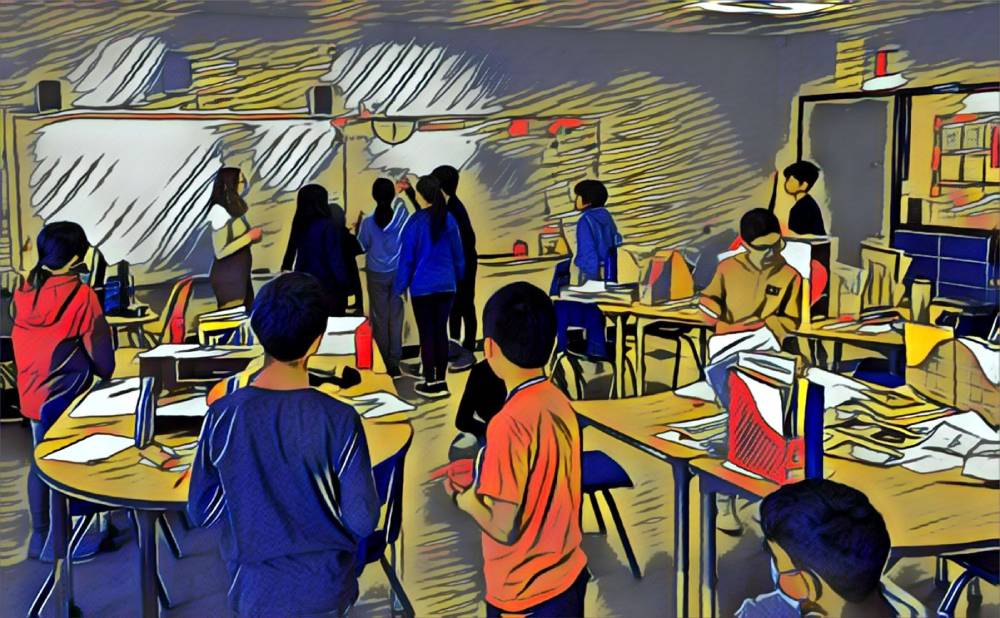
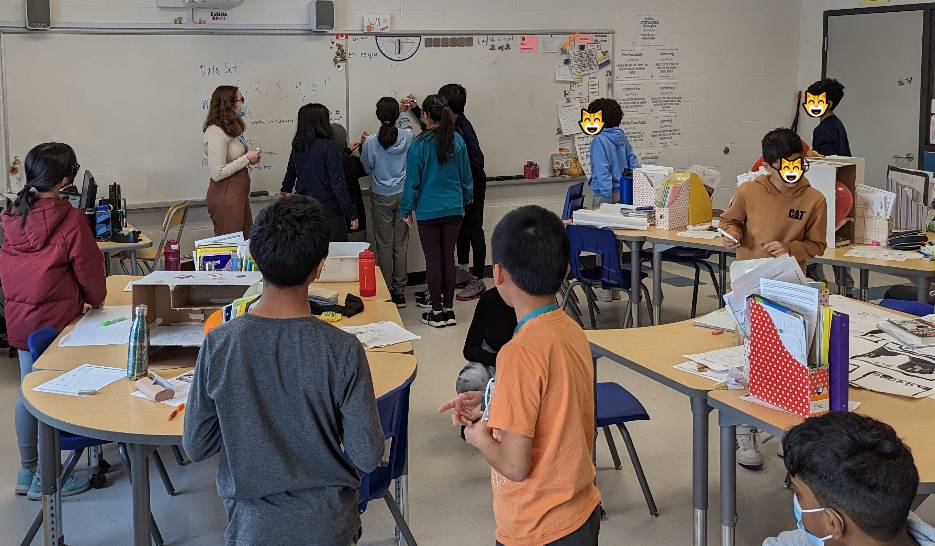
The biggest concern I am finding is that it can make thinking invisible. By making sure I embed “non tech” aspects to the lessons (e.g., co-creating anchor charts), I embed the process of thinking, not just the finished product. I often ask questions or “write” on the slide to encourage more engagement. It invites students into the learning rather than positioning them as passive recipients. 

Moving Forward

My colleague’s comment wasn’t a criticism, it was a useful mirror. The real question was never how many slides I use, but whether my students are actively thinking during and between them. That distinction has shifted how I approach lesson planning.

Slideshows are a tool, not a teaching method. And like any tool, their value depends entirely on how they’re used.

Have you reflected on your technology use? 
labour(s)

This post has nothing to do with trade unions other than for me to publicly reiterate how important they are in the fight against oppressive, racist, exploitative, and elitist status quo economic structures. The golden rule has nothing to do with who has the gold getting to make the rules. It’s about treating others with the dignity and respect regardless of station or social status. I’m writing about labour as a positive antithesis to any entitled money addled capitalist con-drones deign to read something on a site other than Truth or Rebel media not something that is maligned for seeking acknowledgement and fairness for professionalism and hard work. 

Now back to the regularly scheduled post already in progress. 

Labour is in interesting word. It has roots in Latin (labor)* and can be a noun, adjective, and or verb. Labour is a clear description of subject and action. In many ways, labour encapsulates everything we know as educators. Teachers, like labour are nouns and verbs. We are subject and predicate. WE are purpose and passion in perfect action. It must be the sunshine or the good vibes of April that have me reflecting like this because lately there has been so much good happening all around in education, and it is outshining everything else on the horizon.

Since September until now students have been participating in competitions ranging from robotics, chess, athletics, and skills(animation, construction, media arts – to name a few). To no one’s surprise they are coming back energized from their experiences – teachers too. It was as if the void of the past 3 years are truly being left behind now as we focus our labours on the present and future. With so many positives happening in schools I think it would do us all good to share more of the good news going on as a result of our collective labour(s). 

In my last post loves I share about all the good things going on in my school right now, and how we need to hear/see more of the positives happening in our profession rather than nonstop negative narratives from non-educators intended to devalue the work we do each day. This got me weighing what gets shared and how it get shared when it comes to all of the good news going on in classrooms. Is once a week per classroom enough? Is everything worth a post? I have to believe these decisions lie ultimately with the individual educator in accordance to privacy policies. What we have to avoid in one breath is making it performative and in the other feeling like we are not doing enough when we choose not to share.

I know that many schools and teachers use Twitter/Instagram accounts to various extents myself included. Typically, I have tried to post moments of levity from the classroom or positive support for fellow educators doing and contributing great things via #onted. When it comes to sharing, student work is the focus while they themselves are blurred in any images shared. I have found that the Prisma app  installed on my smartphone is far better than sticking emojis on all the faces.

When it comes to resources I am always open to sharing freely and give mad props to other educators doing the same. I especially love sharing any TED Ed lessons that I’ve created, and am happy to respond to educators looking for ideas. As you grow your PLN on social media, you will find lots of like minded and generous educators doing the same with their work.

Whether it is on ‘socials’ or shared with the amazing staff in your building, it becomes very clear that our dedication and labour on behalf of our learners is what we all need to see more of in our feeds. Our labour(s) are worth celebrating in and out of our classrooms. 

*The Latin etymology for labor is obscure: the noun may be related to the verb lābī (which has a long ā ) “to move smoothly, slide” (commonly with implication of downward movement). Lābī in its turn may be related to labāre (with a short a in the root syllable) “to be unsteady on one’s feet, falter, totter.” via dictionary.com 
“Middle English, from Anglo-French labur, from Latin labor; perhaps akin to Latin labare to totter, labi to slip” via merriam-webster.com

The Shape of Things

We’re having fun with shapes! In kindergarten, grade 1 and grade 2, we have been exploring, sorting, and comparing 2-D shapes using a variety of tools.  Here’s what we’ve been up to for the last couple of weeks.

In some classes, we started off on a shape scavenger hunt to see which shapes we could identify in our learning space. Students were excited to identify different shapes in the room and magazines. Many were impressed by how many items they could find that were shapes that they knew the names of. The face of our clock is a circle. The lego bins in our class have faces made out of rectangles. The books on our shelves and our SmartBoard also have rectangular faces. We identified a lot of rectangles in our space. 

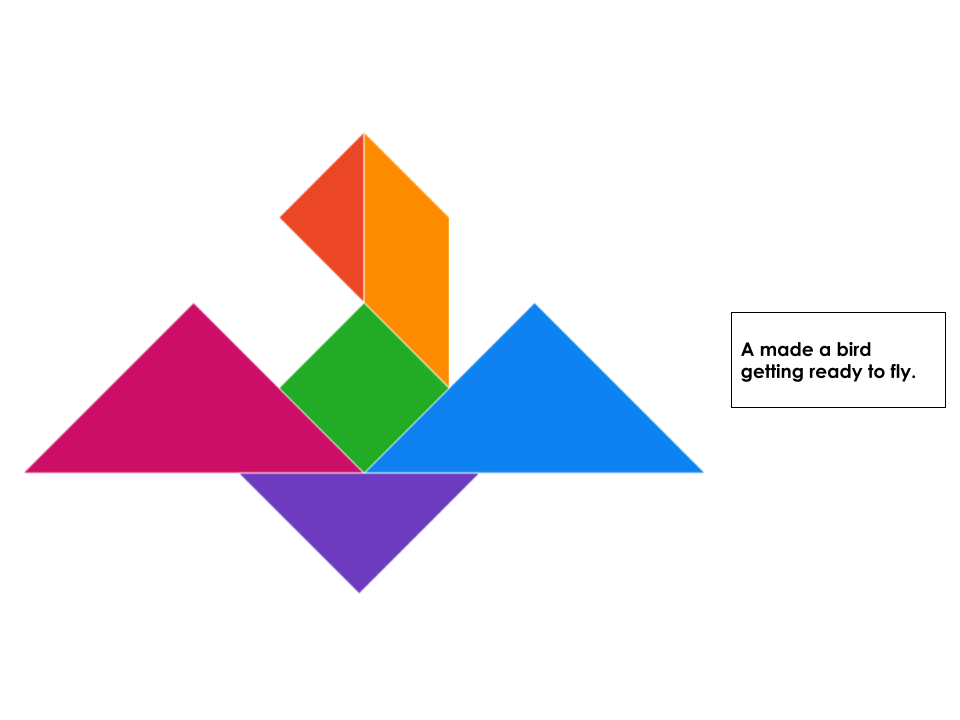
After identifying shapes that we could easily name or identify, we started talking about composite shapes. The tangram is a Chinese puzzle made from a square cut into seven pieces: two large triangles, one medium-sized triangle, two small triangles, one square, and one parallelogram. After discussing the properties of these shapes and congruence, the students were really amazed by how these 7 shapes could be put together to make a square. Many tried to flip and turn the shapes to return them to the original square and realized that it was a little tricky. After having some time to play with the tangram, students had the chance to try and see what they could create other than a square. They were then introduced to tangram puzzles and their minds were blown. After having the chance to physically manipulate the shapes, we took our skills online. Exploring Mathigon’s Tangram Builder, students had the chance to see how they could piece together the shapes to compose pictures and designs using these 2-D shapes. 

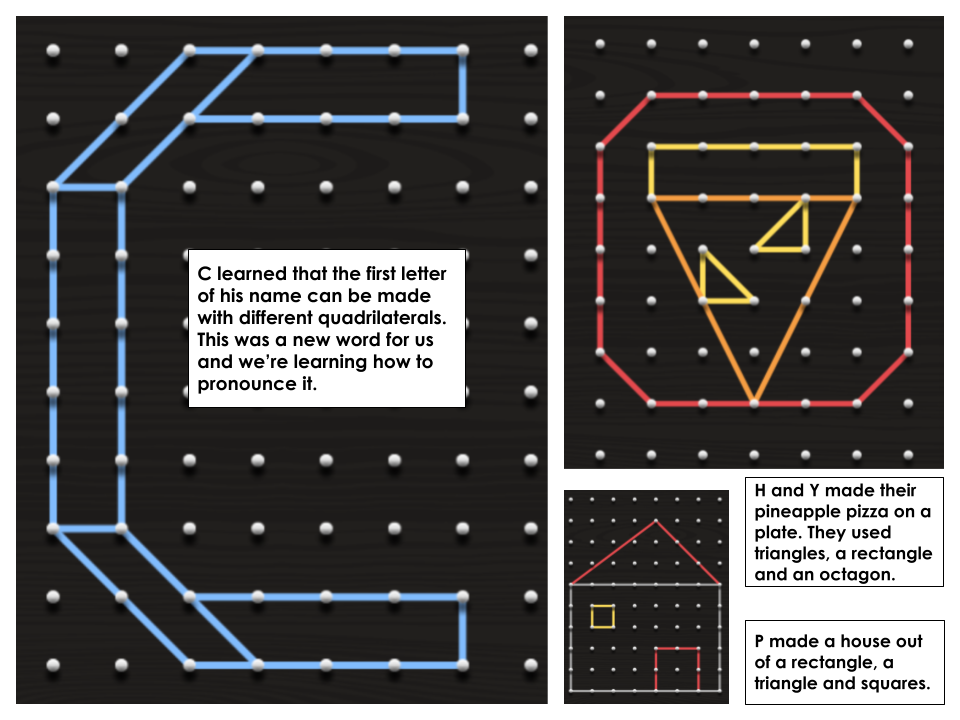
We have also been exploring what we can make using geoboards. Using the Math Learning Center’s Geoboards, students were given a few challenges and rose to the occasion. Here are just a few of the challenges we explored:

  •  Using your geoboard, make a shape that satisfies a rule (i.e., four sides; all equal sides; greater than 4 sides). What’s the name of your shape?
  • Using the geoboard make the letters in your name. What shapes did you use?
  • Create a picture using 3 different shapes. Describe your picture and the shapes you used. 
  • Make triangles of different sizes. Describe the differences between your triangles. 

We’re having a blast exploring shapes. This has also been a great reminder for me as to the importance of having manipulatives that students can move around and use as well as incorporating technology. We’ve explored with both and while some have really enjoyed using the online tools, there have been some who automatically gravitate to the physical tools in our space. Either way, we’re learning and having fun in the process.

Pausing and Teaching for Deeper Learning

Have you ever created an assignment or activity only to realize that you need to take a few steps back to do a bit more teaching? This month I found myself once again in this position. I love it because just as we ask our students to be reflective, we as teachers have the chance to do the same. It’s in these moments of reflection that I find better ways of teaching something or supporting students in deeper learning. 

For the last few months, I’ve been working on a design project with students. We started by working on identifying problems; picking one and telling the story of our problem by answering the 5Ws and how. From there, students had the opportunity to focus on a specific user so that they could create a new and innovative solution for that type of person. After coming up with great ideas, students determined the solution that they wanted to work on, storyboarded their solutions and got feedback from peers. As a part of our work, I always believe in the importance of having students share their ideas with authentic audiences and they do this through pitches. Throughout the process, there has been lots of learning and this point was no different. To do our pitches, we are using Google Slides. I realized that as much online learning as we have done over the years, students needed some teaching on how to insert pictures and how to change the font size. When the questions started coming in, I quickly realized that we were a little in over our heads. I wasn’t expecting this. 

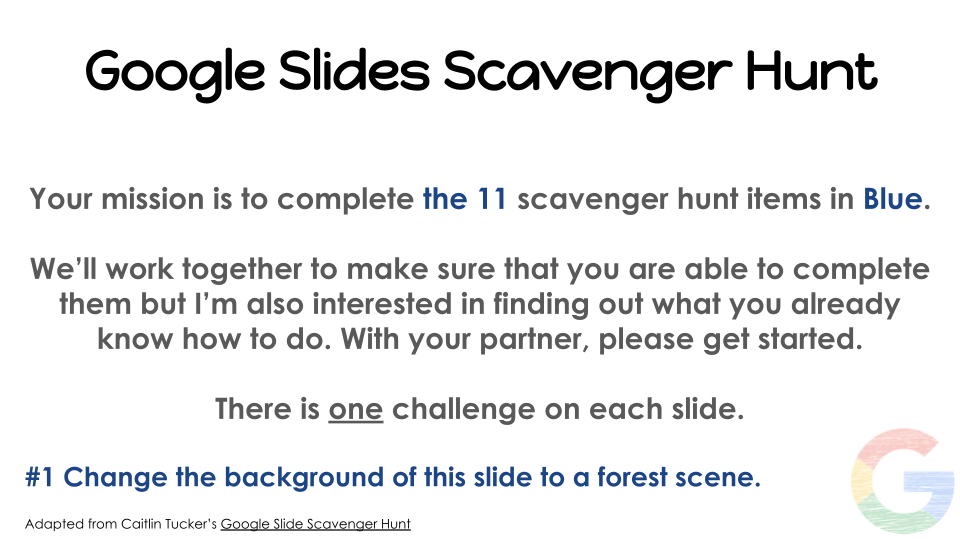
We’ve taken a pause and have been working through a Google Slides Scavenger Hunt that was adapted from one created by Caitlin Tucker a few years ago. 

As we’re going through, students are working in partners trying to solve each challenge and are learning some of the basics of Google Slides. We’re taking our time, making sure that we understand how to do each of the tasks so that when it comes time to go back to our pitches, we can easily add pictures and text that will appeal to our audience.

With everything that we feel we have to “get through”, this has been a great reminder of taking the time to pause and explicitly teach so that students can successfully complete a task. I’m certain that after the scavenger hunt there will be things that we might forget about using Google Slides but I do know that with a few simple reminders, students will feel more successful in using the tool to share their innovative solutions with the world. More often than not, our pauses lead to deeper learning.

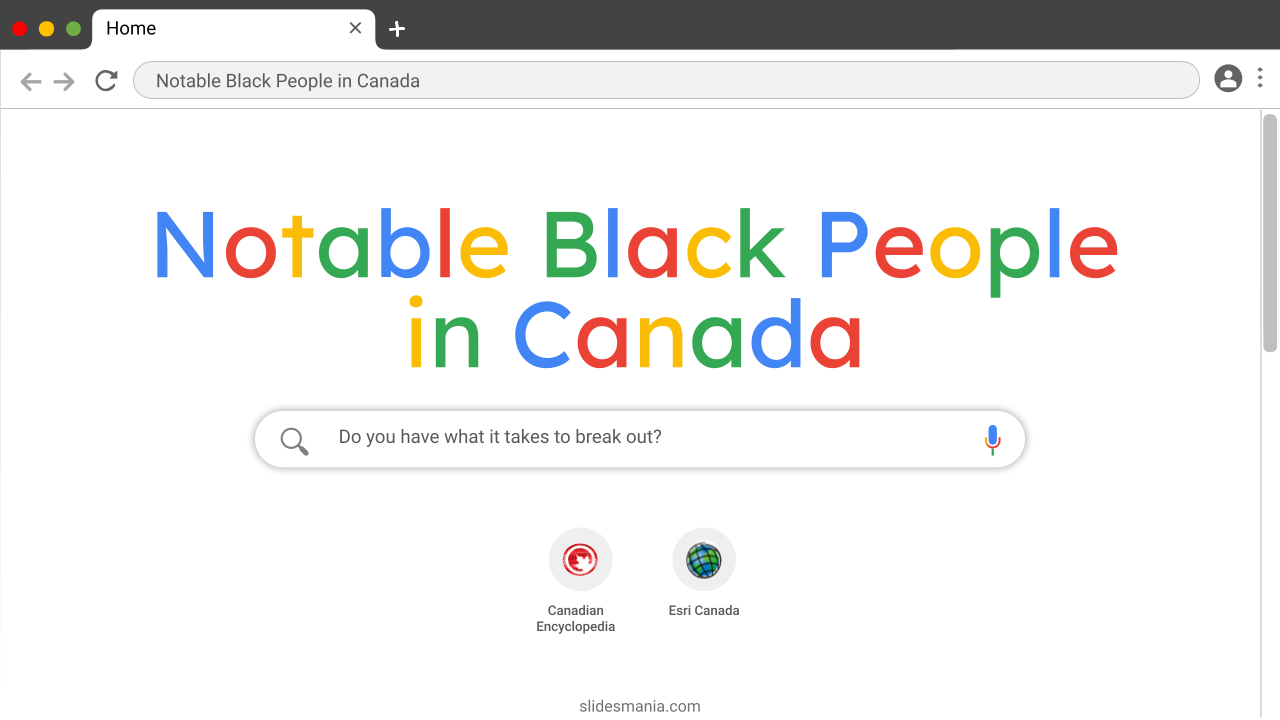
Notable Black People in Canada – A Breakout

Last summer I had the privilege of working with a school around meaningful uses of technology to spark creativity with students. It was an incredible half-day session where participants had the opportunity to play and get creative themselves, all while considering how the use of tech tools could further support students in learning and creativity. 

As you probably already know, I’m an avid user of G Suite For Education Tools. For years I’ve been using Slides, Forms and Sites to create breakout rooms for students as an interesting way to deliver content and to help further develop the skills of communication and collaboration. For our session, I created a Breakout on Notable Black people in Canada. As this is Black History Month, I thought I would take the opportunity to share it here with readers. 

This Breakout is a series of puzzles designed to help people to learn about the history, experiences, and contributions of a few notable Black people in Canada: The Maroons, William Hall, Hattie Melton, Molly Johnson, and Michaëlle Jean. I had a blast building this Breakout because it gave me an excuse – if you will – to learn more about the contributions of Black people, using tools that I was already familiar with. 

While I’m not sharing the answers to the breakout here, I encourage you to take some time to learn and answer the questions prior to sharing this breakout with your students, if you so choose. You know your students best and I think that it’s always great to have rich conversations both before and after deciding to jump into any new learning. Slide #2 has some great instructions to help guide you if you are not already familiar with breakouts. Do you have what it takes to breakout?

New Book: Art of Protest

Anyone who knows me knows that I’m a huge fan of Design Thinking. Designers inspire me by their inherent optimism to create effective solutions for people. This year, in my role as a teacher for Media Literacy through STEM, I’ve been really thinking about the power of graphic design and how Graphic Designers tell stories through their work. Graphic Designers have a specific message for a specific audience and use what they know of their audience to design specifically for them. I recently happened upon the book, Art of Protest by De Nichols. I was so amazed by this book and my personal learning of how art is used in social movements. In this post, I share some of my learning from this book. In order to respect the author and the content outlined, I’ve merely shared a small portion. 

Why Art Matters in Social Movements

One of the goals of art created in protest is challenging the status quo. Throughout this book, there are so many symbols that are representative of social movements and their desire to challenge current societal rules, norms or what is perceived as acceptable. In reading this section, there was mention of artists repurposing materials to bring awareness of societal flaws. One artist that I took the time to learn about was Elizabeth Vega. On New Year’s Eve in 2019, a group of organizers constructed an altar with a Christmas tree made out of water bottles. This was done in honour of Jakelin Caal who was a 7-year-old Guatemalan girl who died on December 1st, 2018. Beyond the Christmas tree, they also created a blockade at the entrance to the facility, made out of water bottles that were lit with Christmas lights. In this art installation, the use of the water bottles was symbolic of the issues related to various water crises in America. This section got me thinking about how we investigate and explore messages within current art pieces created in protest and how we might support students in understanding the idea of symbolism. 

What Exactly Is Protest Art

This was by far the most robust section that got me thinking about various art forms that are used to object to an idea or concept. From street art to poetry, photography to music, the history of protest art outlined in this book, blew my mind. In this section, there are prompts that invite you to think about what you see in different art. After taking some time to consider what you see,  you have the opportunity to learn about the use and history of different symbols within. One symbol that I had no idea of was the umbrella. “During protests for democracy in Hong Kong in 2014, activists used umbrellas to shield themselves from tear gas and other aggressions by police. Since then, the umbrella has become a symbol of the protests and gave the movement its name” (page 32). In Visual Arts periods, I’ve often taught students to reflect on the different emotions evoked from different colours. There’s a great graphic within this book that explains some of the symbolism of colours and movements associated with them. This was incredible learning for me and something that I have definitely been looking out for as I explore art and learn more about social movements. 

Youth Leadership and Protest Art Around the World

Earlier this week I had the chance to connect with a former student and was asked why I wanted to become a teacher. While my explanation spoke to my long journey to this point, the one thing that I know for sure is that working with students is honestly the best part of the job. I often say that children are the best humans on earth. From their ability to empathize with others to their desire to call out the wrong they see in the world, children are candid and when passionate about an issue, are eager to bring about change. One thing that I loved in this chapter was the Try This prompt – Wear your cause: Paint a t-shirt with a protest message that shares your vision for positive change. Anyone who knows me well, also knows that I have a variety of t-shirts with powerful statements that resonate with me and who I am as a Black woman. I choose carefully which spaces I wear my shirts. While reading this, I envisioned students feeling safe enough to create their own messages for ways in which they would like to see a more just world, and wearing them. What conversations would be sparked by their shirts? What changes would be made within our schools?

Protest Art Beyond Today

People are getting more and more creative in their use of technology in art forms. The quote on page 74 is filled with the inherent optimism I mentioned at the start of this post: “Our world right now is ripe for change, for progress, and for new ideas of what tomorrow can bring”.  One of the many questions I am left with is how might we meaningfully engage students in Art, using technology, to bring about social change for which they are passionate?

To say this book had an impact on me would be an understatement. I think every teacher wanting to support students in social change should take a read, for their own learning and for some of the great ideas within. As for my next steps, I’ll continue to take some time to learn.  I’m also thinking of ways to use this book with students to support them in using elements of design to bring awareness around social issues that are of importance to them. 

2 weeks

Happy December folx,

I’m writing this on a Saturday, and it feels good. I am not sure when it will actually be posted though. It has been a day since wishing my in-class and hybrid learners “happy holidays” and “merry Christmas” so the significance of the next two weeks outside of school coupled with exhaustion, uncertainty, and another COVID19 wave have not hit me, yet.

Did anyone else wake up at their normal time even though the alarm wasn’t set? My body and mind will need some time to sync with the holiday hiatus whether they are ready or not. I am not going to force the issue either. It is important to sleep when you’re tired and wake when you are ready over the next 2 weeks.

I have found it best to spend the first 2 days of any long break keeping regular routines. I do this because of the inevitable let-down that happens once my brain and body realize that it will not be business as usual at school on day 3. I have learned the hard way that not easing into the holidays left me really rundown and often with a cold. As the spread of the recent varient rivals the proliferation of Christmas music everywhere, it is wise not to let your guard down.

The holidays offer freedom that when paired with a built-up desire to cram numerous overdue social activities into a finite amount of time can be very tempting. Self-care over this break needs to be your first priority even when a voice in the back of your head is screaming you forgot something at school. I encourage you to leave your work email alone as much as possible over this time, Being aware of this over extended time away from work has been very helpful to my mind and body.

To admit that this break comes as a relief is the best way to express how it feels today. I am tried, tested, tired, and trying to avoid a tirade from a sensed disappointment in students, their families, and fellow educators all of whom have been left looking for some clarity as to what will happen when we are scheduled to return in January.

At days end on December 17th, there was little evidence of a clear message/acknowledgement from the current minister of education or from many school boards in response to the rapidly changing numbers of new infections in our province. I guess we should be thankful to have made it to the end of this school month, since the numbers of new infections have been increasing so rapidly in and out of schools. This year’s break could not have come at a better time. Speaking of the time, I will continue this post tomorrow. I am off to cook dinner.

Time for a little politics

It’s Sunday morning, coffee pot empty, breakfast cooked and eaten, dishes done, and it’s back to the keyboard. A reread of the previous day’s paragraphs, several phrasing/content changes made, and action. By the way, dinner was delish. Asian inspired pork with a tangerine ginger garlic sauce over rice and stir fry veggies. Yum! It’s go time.

Over the holidays our students will be able to isolate more and monitor their health using the 5 RATs (rapid antigen tests) each was given. Now they can line up with their parents while they get theirs and call it ‘family time’. I am appalled that the citizens of our province have been forced to line up to receive a pack of tests like this will solve the spread of COVID19 and its varients. It did not surprise me either to hear that RATs would be available at some LCBO locations, not all. Now their employees(also unionized) can be run off their feet even more during their busiest time of year.

I think local MPP offices would be a much better location to pick up these tests as it would provide a chance for them to look their constituents in the eye and see what their decisions have wrought. They don’t seem to be doing a lot with their free time out of the legislature other than photo-opping.

Teachers felt the mean spirited message the current government sent them when they were not included in the distribution of RATs. It speaks again to the malicious intent to demoralize a decimated workforce already coping with underfunding,  understaffing, poor public policy, indifference, broken promises, and the visceral contempt of the profession by the current government.

We need to demand better from the people who are elected to serve us. Students, their families, and educators deserve better. We deserve leadership that serves the public and not the profiteers in whose pockets they pander.

Stay safe. Stay strong. In solidarity we stand.

Possibly next time

In my last post parents and guardians, I mentioned wanting to share some further thoughts about communication tips in support of new educators, but that will have to be something for the future.

Infographics – Hands on Learning With Technology

In my timetable this year, there are periods where I work with teachers and students around the use of technology. Excitingly, over the last month or so, I’ve had the opportunity to partner with a Grade 4 teacher, to consider the skills that would be important for students to know at this grade level. In this class, students have 1-to-1 technology and we were pretty excited to help students further develop their proficiency. Our board uses Google and we thought we would start with exploring Slides to see what students might create. 

While there are many different ways of learning to use Google Slides, we thought it would be fun for students to jump right in and play. There really is nothing like being a part of the experience, rather than watching someone tell you how to use a tool. As such, we decided to adapt a Google Scavenger Hunt that was shared online by Caitlin Tucker some time ago. While we thought we would fly through the scavenger hunt in a session or two, we realized that we really needed more time to make sure that students were able to play and discover as they were guided.  Since the Google Suite for Education Tools are so similar, we also wanted to make sure that students were able to transfer their skills from one tool to the next. Navigating from Slides to Docs, students quickly realized that the similarities in the menus in each of the tabs and the toolbar. 

Students were also learning about infographics with their teacher and once finished, they had the opportunity to create their own infographics on any topic of interest. Students learned that infographics are visuals used to easily represent information or data. They learned that they could have charts or diagrams to display information or images that would help the reader understand in a deeper way. We took some time to explore infographics found online and in magazines and quickly realized that they have key features:

  • Titles and subheadings
  • Clearly organized information 
  • Important statistics
  • Bold or bright colours are used to capture the attention of the audience
  • Graphics and images that stand out and draw the reader in

Before creating their own, we wanted students to use the Explore feature to conduct research and we also had a brief mini-lesson on how to cite information. Students quickly understood the importance of rephrasing the learning from websites but also making sure that they credit the author of the information they are using. They were so eager to start.  From Snakes to countries of family origin to cute pets and Fornite, students created some incredible infographics, helping their readers to understand the topics in a clear way. It was clear that the skills that we learned during the scavenger hunt were being put into use now when it was their turn to create. 

I’m so grateful to have had the time to collaborate with this teacher because it gave us the opportunity to sit and consider what skills we wanted students to walk away having learned and how we could facilitate the learning of these skills in a meaningful way. Pausing and supporting students in learning how to effectively use technology is so important. Moving forward, I know that I will continue to ask and consider “the why?” behind using technology and whether or not students have been supported in learning how to use the tool prior to expecting them to complete a task.

Media Sites for Students: www.cbc.ca/kids

Throughout the past year, particularly online, I am always looking for ways to include meaningful media content for my students. While researching coding, I came across content on www.cbc.ca/kids that I found very useful in terms of the following categories:

*Articles: the content is kid friendly in terms of the language and includes serious topics in a way that doesn’t get into graphic details (such as reconciliation). The students enjoyed seeing examples of technology around the world and there are many topics that are searchable, from “Arts” to multicultural celebrations. Plus, you know that the site is reputable with its content which is important for kids nowadays to assess the accuracy of their digital sources. There are many Canadian focused articles as well as content from around the world.

*Videos and Quizzes/polls: if you are looking for a more interactive experience, search through various topics and find mini questionnaires like “would you rather” and multiple choice trivia. Last year one student was so excited about the video game quiz he called over his dad on the Meet and they both had a blast playing along with their “old school” and “Gen Z” knowledge.

*Games: there are a variety of simple computer games that don’t require downloading or apps that students even young primaries can navigate: in fact, we explore this every week with the online kindergarten class. The games are organized by categories such as puzzles or strategy and even have a three star rating system for students to communicate their thoughts. We also used the games in coding to discuss how simple they would be to create. There are even seasonal selections for different celebrations, including non-denominational ones such as build a digital snowman. Once again, the games are safe in terms of content, lack of needing to sign in with an account which is sometimes an issue with finding internet games online.

If I could change one thing about the site, it is that there doesn’t appear to be a French language option to include students from the FSL program. But all in all, this is a great resource for students of all elementary grades (and a good resource to have on hand in the event of an emergency supply day, or an afternoon where students need some down time while still following the curriculum before the break).

“I like this math better than real math!”

Fake Math vs. Real Life

“I like this math better than real math” was exclaimed by my grade eight student on Friday while we were playing Trust No One on Gimkit. Gimkit is a live, gameshow style learning that requires students to solve basic math problems in order to reach a common goal. Gimkit is an excellent way to see what students need more help with the math concepts taught that week and who understands what was taught. So why does my student consider learning in such a way “fake math”? I asked her and her response was interesting. To summarize, my student mentions how real math has to be with pencil and paper, must be boring and has to be done quietly. This is the exact opposite of the way that I like to teach math. It is interesting to hear the different perceptions of math from each student. After my student said this, I asked the class to explain the math concepts we were exploring in that Gimkit live show. My students then answered: solving for the greatest common factor, finding square roots, etc. I then explained to my student that all of that math is “real”.

My math program changes each year as I learn from different teachers such as the ones that presented last year at the OAME conference (more information can be found about that conference here: OAME) I like to integrate different ways of learning whether it be with whiteboards (non-permanent surfaces), manipulative based problems, problem of the week, asking the students which one doesn’t belong (WODB), solving patterns, estimating with a daily prompt (Estimation180) or my favourite, playing a math game that makes students think they aren’t even doing math. This was evident last Friday as my student thought we weren’t even doing real math.

I love hearing about all the different approaches to a math program. With the updated math curriculum in its second year, it is especially interesting to take a look at the different approaches to the financial literacy and coding programs. I am still getting used to the new curriculum but I love the easy online format that is available online: Math Curriculum I have printed this out and I look at what expectations work well together. I work with my grade team partners to take about what strands we report on each term. Ideally, I would love to try a fully spiralled math program but I am not 100% comfortable with this approach yet and am interested in learning more.

Challenges in Math Today

Today I struggled with a student who did not want to try the zeros principle when adding integers because she already knows how to add integers. I asked her a few times to try it out on her whiteboard and eventually, she did it. She asked me why she had to try this strategy if she already knew how to add integers. I told her that I teach many strategies so that students can pick their favourite. However, this student had already developed her own strategy, so did I just confuse her by adding another one to her toolkit? Should I have let her answer the question using the way she already knows? So many things to think about and at the time, I did not know the answer. How would you handle that situation? I love hearing many different ways that teachers approach math strategies and how to work with students who do not want to learn new ones.

With a split class this year, I am fortunate enough to tackle each lesson as a review for the eights and at the same time it being new content for the sevens. This allows for student teachers and a great review for the eights as last year was often interrupted by closures of classes and ultimately, the board. I am excited to teach the eights their new curriculum while inviting the sevens to try it out. At first, I viewed math in a split class as a challenge but now I just see it as an exciting opportunity to challenge students to be teachers and leaders. I look forward to continue blogging at my math program as the year continues. Next time you have the opportunity, ask your students if they consider any math task at any given time “fake or real”… a perception that I loved hearing last Friday!